
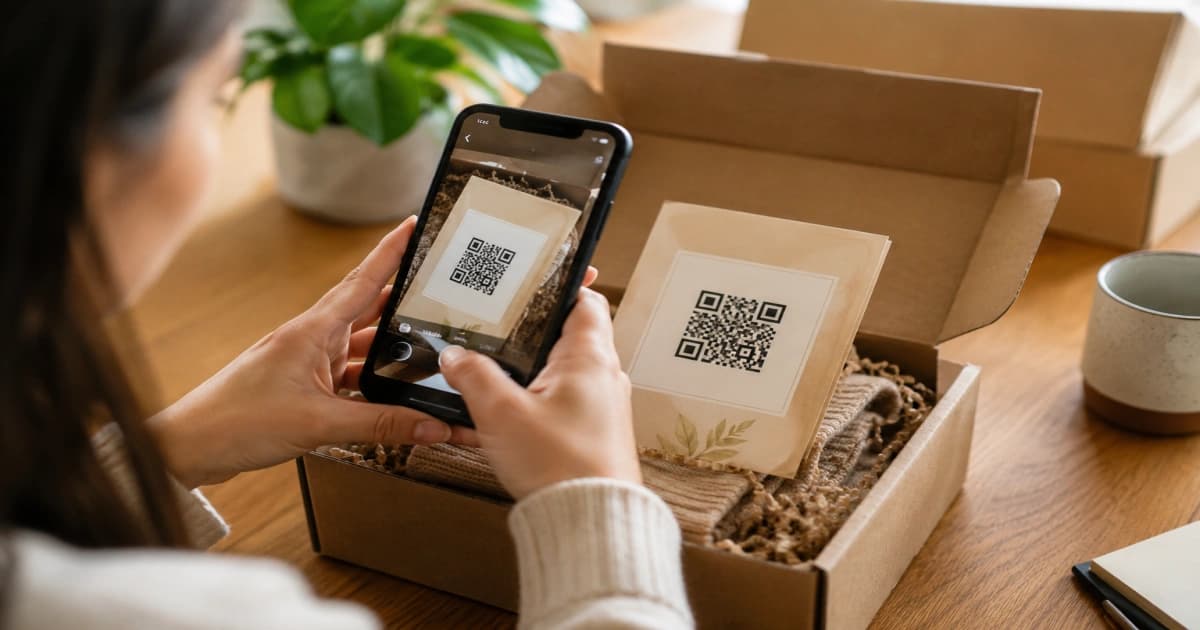
You printed QR codes on 500 packaging inserts. Customers scanned them. You have no idea how many, which products drove the scans, or whether any of those people bought anything.
That is not a minor gap. That is a fully blind offline marketing channel costing you money with no feedback loop.
TL;DR: Static QR codes give you nothing to measure. Dynamic QR codes let you update the destination without reprinting and track every scan with QR code scan tracking. Add UTM parameters to close the loop to Shopify revenue. The setup takes under 30 minutes.
Why Static QR Codes Are a Trap for Shopify Merchants
Static QR codes bake the destination URL directly into the code pattern. Change your URL structure, run a new campaign, or fix a broken link and the printed code is dead. You either eat the loss or reprint everything.
Dynamic QR codes work differently. They point to a redirect you control. The physical code never changes. The destination does. Redirect customers to a summer sale today, a reorder page in September, and a holiday bundle next month, all from the same printed insert.
That flexibility alone justifies the switch. But the real value is tracking.
Dynamic codes have overtaken static formats and now account for 65% of global QR code revenue. Retail and ecommerce lead adoption at 46%. The merchants still using static codes are handing that ground to competitors.
Are Dynamic QR Codes Worth It?
Yes, if you use print in any part of your offline to online marketing: packaging, packing slips, flyers, receipts, shelf displays, or business cards.
Here is the honest math. A static code costs nothing to generate but gives you nothing to learn from. A dynamic code with scan tracking costs a few dollars a month but tells you exactly which physical placement is driving scans and sales. For most stores running any kind of offline promotion, the data is worth more than the subscription.
The answer is no if you need a one-time code for a single event that will never be reprinted. Static is fine for that. Everything else, go dynamic.
QR Code Scan Tracking for Shopify: How to Connect Scans to Revenue
How to Get Tracking from a QR Code
Scan tracking alone tells you a code was scanned. It does not tell you what happened after. To connect scans to Shopify revenue, you need UTM parameters on the destination URL.
UTM parameters are tags you add to a URL. When a customer scans the code and lands on your store, those tags get recorded in Google Analytics 4 automatically. No extra setup beyond the URL.
A tagged URL looks like this:
https://yourstore.com/products/product-name?utm_source=packaging&utm_medium=qr_code&utm_campaign=summer2026
The three tags that matter:
utm_source: where the traffic is coming from (packaging, flyer, receipt)utm_medium: the channel (qr_code)utm_campaign: the specific campaign (summer2026, reorder-insert, review-request)
Filter your GA4 reports by utm_medium = qr_code to see sessions, purchases, and revenue from every QR placement. Use a unique UTM for each physical location. One for packaging, one for the packing slip, one for in-store signage. That way you know which one is earning.
For a full walkthrough on building UTM parameters and reading them in GA4, see the complete ecommerce UTM guide.
Can You UTM a QR Code?
Yes. A QR code is just a URL encoded as a pattern. Any URL works, including URLs with UTM parameters. Dynamic QR codes make this even cleaner: you set the UTM-tagged destination once in your dashboard, and the printed code never needs to change.
The mistake most merchants make is generating the QR code first and adding UTM parameters as an afterthought. Do it in the right order:
- Build your UTM-tagged destination URL first
- Paste that URL into your dynamic QR code generator
- Test the code on your phone before printing
- Confirm the tagged session shows up in GA4
If you are using a dynamic QR platform, some generators will auto-create UTM parameters for you based on campaign settings. Either approach works as long as you end up with a unique tag per placement.
How Do I Add a Tracking Code in Shopify?
Shopify itself does not generate dynamic QR codes with built-in scan analytics. Shopify's native QR code tool creates static codes. For scan-level data, you need a third-party app or a standalone dynamic QR platform.
Here is the setup that works for most Shopify merchants:
Step 1. Choose a dynamic QR code app for Shopify. Look for one that shows scan counts, device type, and scan location, and lets you edit the destination URL after printing.
Step 2. Create a campaign. Name it something you will recognize in six months ("spring-packaging-2026" beats "campaign1").
Step 3. Set your destination URL with UTM parameters already included.
Step 4. Download the QR code in a print-ready format (SVG or high-res PNG at minimum 300dpi).
Step 5. Before your print run, scan the code on two devices: an iPhone and an Android. Confirm the redirect works and the page loads in under three seconds on mobile.
Step 6. After launch, check scan data weekly. If a placement gets no scans in two weeks, the code may be in a bad location, too small, or on a surface customers do not look at.
HypeQR handles steps 1 through 4 in one place. You get dynamic codes, QR code scan tracking by location and device, and editable destinations without reprinting. Built specifically for Shopify merchants, so the integration is direct.
Ready to track every scan? HypeQR gives you dynamic QR codes with scan analytics built for Shopify. Update destinations without reprinting, see which placements drive revenue, and connect every scan to a campaign.
Where to Put QR Codes (and What to Link Them To)
The placement matters as much as the tracking. Most merchants link every QR code to their homepage. That is roughly as useful as giving someone your street address when they asked for directions to a specific room.
Match the placement to a specific action:
| Placement | Link to |
|---|---|
| Product packaging | Product page or reorder cart |
| Packing slip | Review request or loyalty signup |
| Flyers and print ads | Dedicated mobile landing page |
| Shelf display | Product page with in-stock badge |
| Post-purchase insert | Next product or bundle |
For deeper Shopify-specific examples, see 5 QR code placements that actually drive Shopify sales.
Going one step further, QR codes can trigger interactive experiences: spin-to-win popups, product demos, loyalty check-ins. The scan is the start of an experience, not just a redirect. Interactive QR code experiences for Shopify stores covers how to build those flows.
The One Thing Most QR Code Guides Skip
Turns out, 79% of consumers are more likely to purchase products with a scannable QR code that provides additional product information. That stat sounds great in a pitch deck. What guides do not tell you is that "additional information" needs to land on a fast, mobile-optimized page with one clear action.
Scan rates do not equal sales. The conversion happens on the other side of the scan.
Before any print run, do this check on your landing page:
- Does it load in under three seconds on a mobile connection?
- Is there one obvious action above the fold (buy, review, sign up)?
- Is it clear what the page is for within two seconds of landing?
If any answer is no, fix the page before you send anything to print. A bad landing page wastes every scan, tracked or not.
Build Trust: Print the URL Below the Code
QR code fraud is real. Fake sticker attacks, where someone places a malicious code over a legitimate one, happen in retail and hospitality. Customers are more cautious than they used to be.
Two small things that help:
Print the destination URL in small text under the code. Mobile browsers show a URL preview before opening. If customers can see your domain, they are more likely to scan.
Use branded QR codes (your logo in the center, your brand colors on the pattern) wherever possible. Branded codes get scanned more and signal legitimacy.
Neither of these requires extra tech. Both take five minutes to set up.
Dynamic QR codes with UTM tracking turn a printed insert into a data point. You know which placements drive scans, which scans turn into sessions, and which sessions result in purchases. That is the feedback loop static codes can never give you.
Start with one placement. Track it for four weeks. Then scale what works.