
Most Shopify merchants are paying $200 a month in overlapping tools and seeing $0 extra in sales to show for it.
The good news: there is a full AI marketing stack available at no cost. Not "free trial" free. Actually free. And the best free AI tools for ecommerce are either already in your Shopify plan or take under 10 minutes to set up.
TL;DR: Shopify Magic, Shopify Inbox, ChatGPT, Canva, Klaviyo, Buffer, Google Analytics 4, Google Search Console, and Microsoft Clarity all have free plans. Together they cover every core marketing need at zero cost.
What You Actually Need AI to Do
Before picking tools, get clear on the job. Marketing for a Shopify store breaks into these core tasks:
- Writing product copy, emails, and social captions
- Designing graphics and ad creative
- Sending and automating emails
- Scheduling social media posts
- Handling customer questions before they leave
- Understanding your traffic and customer behavior
- Getting found on Google
Each task has a free AI tool. Here is the breakdown.
Content Creation: Free AI Tools for Writing Product Copy and Emails
Shopify Magic is already inside your Shopify admin. It writes product descriptions, generates email subject lines, and drafts customer reply suggestions inside Shopify Inbox. If you are on any paid Shopify plan, you already have it.
What Shopify Magic handles:
- Product descriptions: paste your product name and a few details, get a draft in seconds
- Email subject lines: Magic suggests options directly inside Shopify Email as you write
- Reply suggestions: inside Shopify Inbox, it drafts responses based on your product catalog
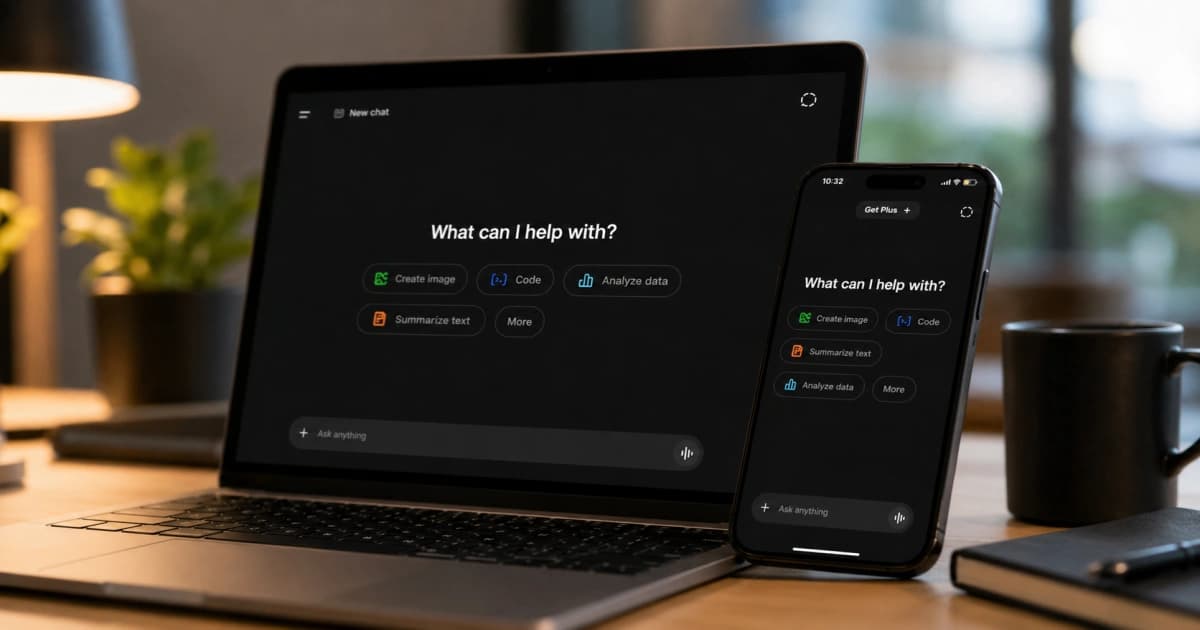
For anything outside Shopify (blog posts, ad copy, social captions, email body text), ChatGPT has a free plan that handles it well.
How to get the most from ChatGPT:
- Give it context: paste your product name, target customer, and one sentence about what makes you different
- Ask for 3 versions and pick the best one
- Edit the output to match your brand voice before publishing
AI drafts. You edit. That split saves hours and produces better copy than either approach alone.
![ChatGPT interface on laptop and mobile — free AI writing tool for Shopify marketing copy]
Design and Ad Creative: Free AI Tools for Shopify Graphics
Canva has a free plan that includes thousands of templates, an AI background remover, and Magic Write (their AI text tool). For product promo graphics, social posts, and email headers, the free plan covers most stores.
The templates that work best for ecommerce: square product shots for Instagram, landscape banners for email headers, and story-format cards for flash sales.
You do not need Photoshop. You do not need a Fiverr designer for every post. Canva's free plan handles the 80% of design work that keeps your store looking professional.
Email Marketing: Free AI Tools for Shopify Automation
Klaviyo has a free plan that lets you run a welcome sequence, an abandoned cart flow, and a post-purchase follow-up, all automated.
Klaviyo uses AI to suggest send times, predict which customers are likely to buy again, and flag contacts who are disengaging. You get all of that on the free plan.
What to set up first:
- Welcome email (send within 10 minutes of signup, conversion rates are 3x higher than delayed sends)
- Abandoned cart email (send 1 hour after cart abandonment)
- Post-purchase email with a related product suggestion
Those three flows recover more revenue than most paid campaigns. Set them once and they run without you.
Social Media: Free Tools for Shopify Social Scheduling
Buffer has a free plan that lets you connect social channels and schedule posts in advance. Batch your content creation once a week (use ChatGPT for captions, Canva for graphics), load everything into Buffer, and your social presence runs on its own.
Consistent beats brilliant. Three decent posts per week, every week, outperforms one great post per month.
Customer Chat: Free AI Apps for Shopify Store Support
Shopify Inbox is free with every Shopify plan. It adds a live chat widget to your storefront, captures messages when you are offline, and uses AI to suggest replies based on your product catalog and store FAQ content.
Response time matters more than most merchants expect. Replying within 5 minutes of a customer message converts at 9x the rate of replying an hour later.
What makes Inbox useful beyond basic chat:
- AI reply suggestions pull from your product data automatically
- Unanswered conversations are saved so nothing gets missed
- You can see what product a customer was viewing when they messaged
Tracking product changes matters when customer questions spike. If you notice Inbox volume increasing after an update, Logx logs every product edit with a timestamp so you can see exactly what changed and when.
Analytics: Free Tools to Track Shopify Marketing Performance
Three tools cover this completely. Most merchants are only using one of them.
Google Analytics 4 tracks traffic sources, conversion rates, revenue by channel, and user behavior across your entire store. Free with no session caps. Connect it via the GA4 integration in your Shopify admin.
Google Search Console shows what search terms people typed before finding your store, which pages rank, which have technical errors, and what your click-through rates are from Google results. Check it once a week. It is the most underused free tool in ecommerce.
Microsoft Clarity records user sessions, generates heatmaps, and uses AI to summarize where visitors are getting confused on your pages. Over 1,100 Shopify merchants have reviewed it at 4.5 stars. Free with no session limits.
If a product page is not converting, Clarity shows you exactly where people click, scroll, and give up. That insight is worth more than any paid analytics tool that only shows you numbers.
Want to connect a traffic drop to a specific product change? Logx timestamps every product edit so you can match your analytics data to what actually changed in your store.
Does Google Search Console Help with SEO for Free?
Yes, and it is one of the most powerful free SEO tools available to Shopify merchants.
Google Search Console shows your keyword rankings, click-through rates from Google Search, indexing errors, and which pages Google has not yet crawled. You can spot ranking drops before they become revenue drops and fix indexing issues that are silently keeping pages out of search results.
Pair Search Console data with Shopify Magic to write better meta descriptions and product copy based on what people are actually searching for.
For a step-by-step walkthrough of Shopify SEO without spending on tools, the beginner's SEO guide on this blog covers the full process from setup to ongoing optimization.
The Complete Free AI Marketing Stack for Shopify
Here is every tool in one place:
| Job | Free Tool |
|---|---|
| Product copy and email subject lines | Shopify Magic |
| General copy, captions, and blog drafts | ChatGPT |
| Graphics and ad creative | Canva |
| Email automation and flows | Klaviyo |
| Social media scheduling | Buffer |
| Customer chat and AI reply suggestions | Shopify Inbox |
| Traffic and conversion analytics | Google Analytics 4 |
| Search performance and keyword rankings | Google Search Console |
| Session recordings and heatmaps | Microsoft Clarity |
Nine tools. Zero monthly cost beyond your Shopify subscription.
When Should You Start Paying for AI Marketing Tools?
The free stack above works well for stores in their early stages. You will know it is time to upgrade when you are running into the edges of what each tool can do and the revenue is there to justify a paid plan.
Let the data guide the decision. Clarity shows which pages need design work, Search Console shows which content is worth expanding, and Analytics shows which channels are worth paying to scale. Start free, let the numbers tell you where to invest.
Start Here
If you have 30 minutes today:
- Open Shopify Magic in your admin and rewrite your three lowest-converting product descriptions
- Enable Shopify Inbox and set up your FAQ content so AI reply suggestions are accurate
- Connect Google Analytics 4 and Google Search Console if you have not already
- Install Microsoft Clarity and check session recordings in 48 hours
Those four steps cost nothing and take under an hour. Start with what is already in your plan before adding anything new.
If you are launching new products as part of your marketing push, a structured product launch checklist keeps every step on track from prep to post-launch promotion.
And if your marketing includes physical touchpoints like packaging, events, or in-store displays, dynamic QR codes connect those offline moments to your online store without reprinting anything when your URLs change.